Granting Access To Your Google Local Service Ad AccountPage
From A Computer
1) Go to https://business.google.com/ca-en/ad-solutions/local-service-ads/ and sign in with the Google account that manages the Local Services Ads profile.
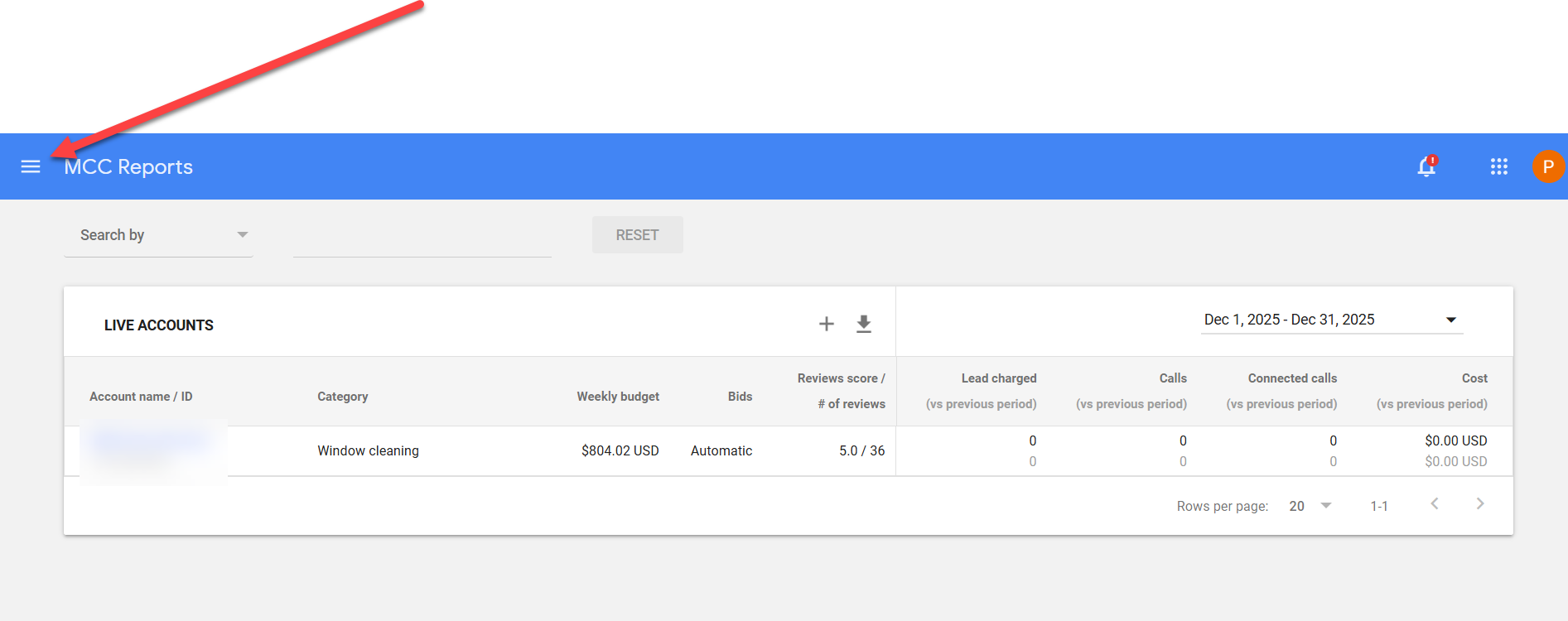
2) Click the three-line menu in the top left corner.
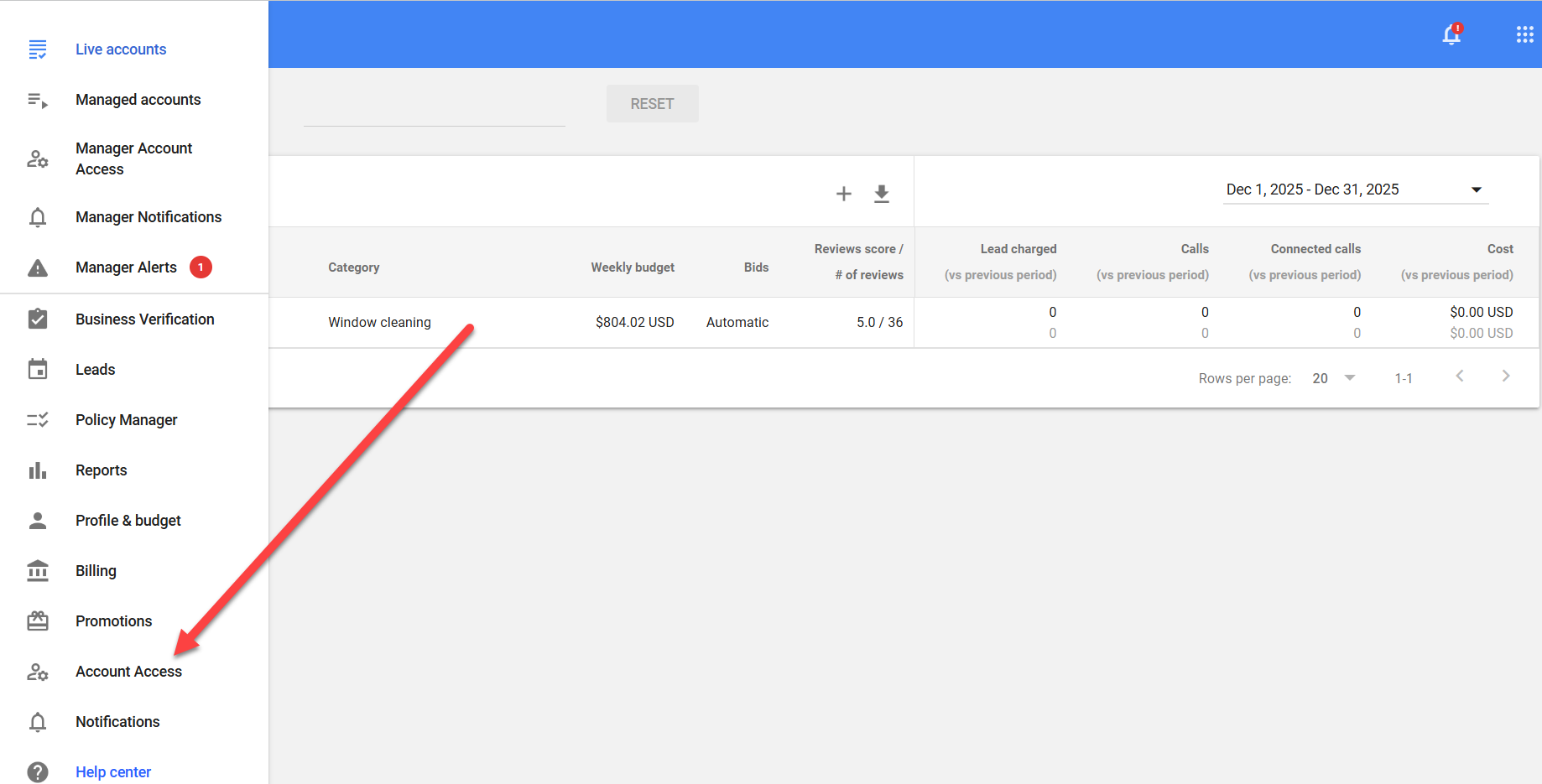
3) Click on "Account Access"
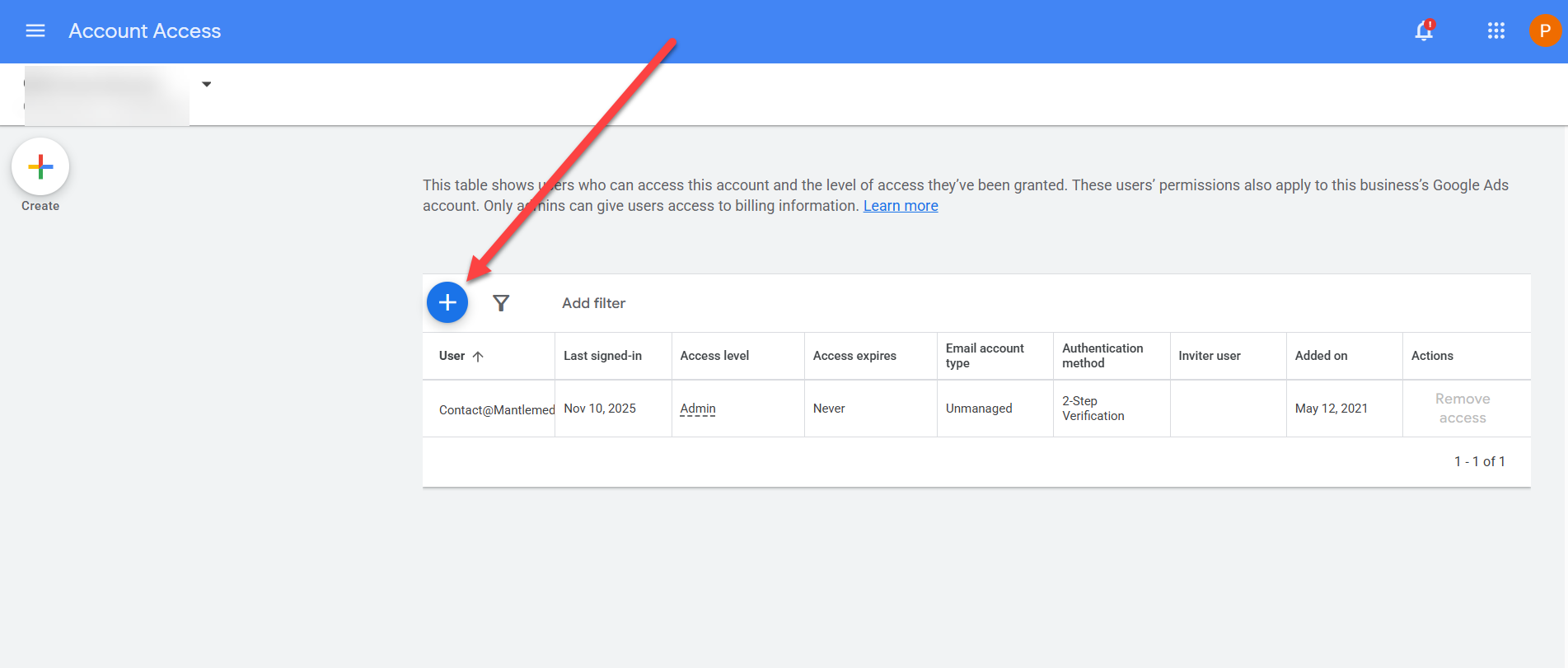
4) Click on the + sign in the blue circle.
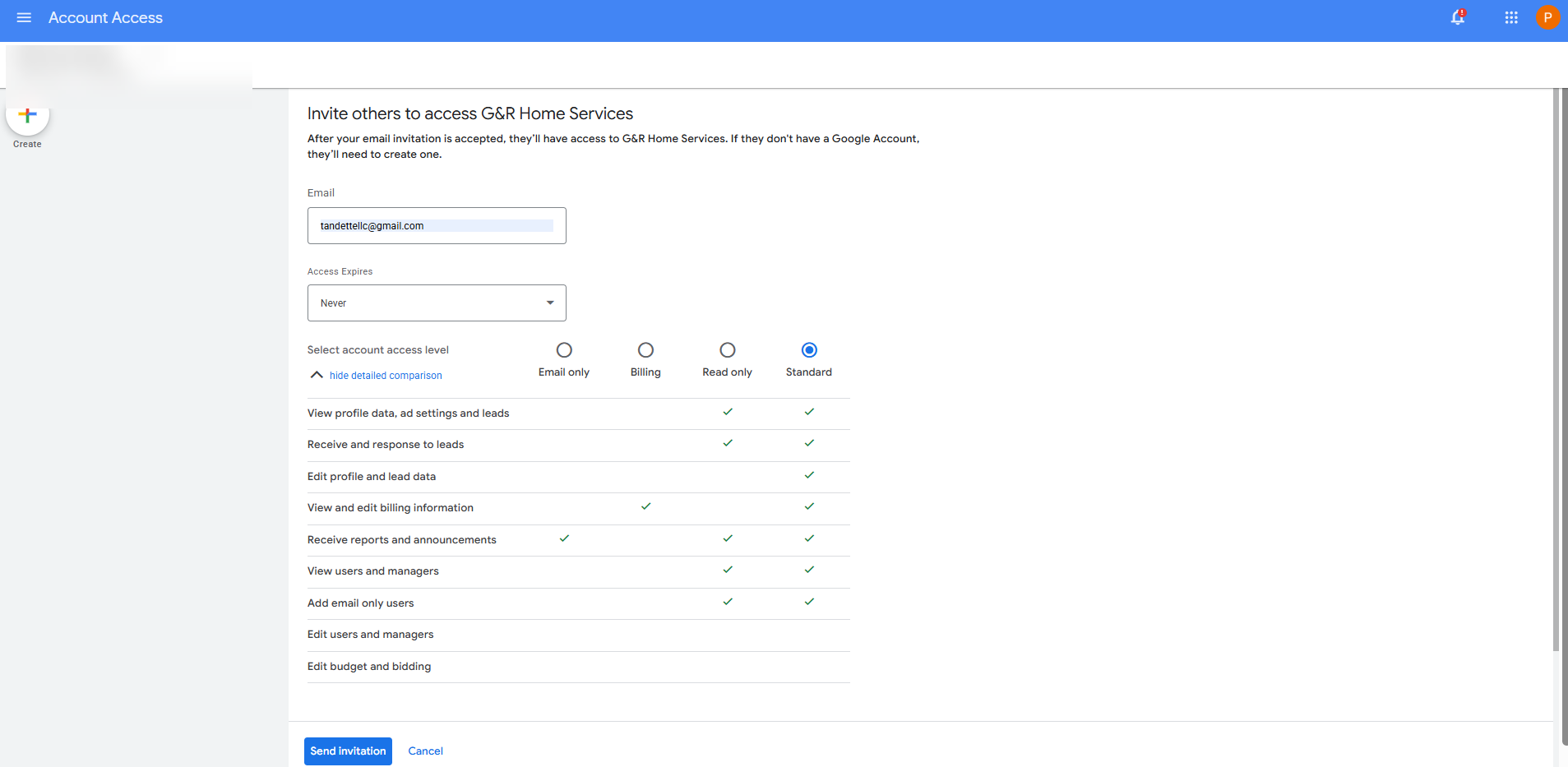
5) Using the exact details in the image below, grant access.